Archives of Genesis8 Amstrad Page from 1999 to 2012 about utilities
iMPdos Public Edition v1.17 for the X-Mass mass storage card by AST/iMPACT
04/19/2018 - 20:24 - genesis8iMPdos Public Edition v1.17 by AST/iMPACT is available, a ROM for using the X-Mass extension card made by Toto. It must be installed as ROM 1 to 6, before the ROM 7 ! When the ROM is installed, iMPdos detects the X-Mass and format it. Dont forget to use the |hlp command for documentation.
Source : CPCWiki


RASM v0.81 by Roudoudou, an assembler/disassembler (Linux/Windows) for Amstrad CPC
04/05/2018 - 21:11 - genesis8The last version of RASM is v0.81 (5th April 2018) :
- added special maxam priorities for parenthesis and boolean operators
Source : CPCWiki
RASM v0.77 by Roudoudou, an assembler/disassembler (Linux/Windows) for Amstrad CPC
03/31/2018 - 14:09 - genesis8The last version of RASM is v0.77 (31th March 2018) :
- even faster expression calculation
- maxam and AS80 comparison operators are back
Source : CPCWiki
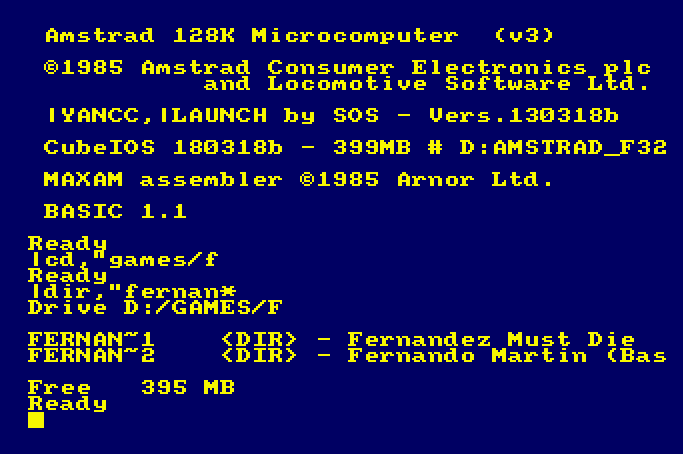
CubeIOS, a FAT16,32 IDE-OS ROM for the Amstrad CPC's with XMASS
03/31/2018 - 14:25 - genesis8The XMASS mass storage extension card can now be used with another ROM, that is CubeIOS :
- Detect (nearly) all Fat16+Fat32-Partitions on your CF-Card, DOM, etc. (1st Partition please). Prefered is Fat32 (should be faster with Save-Commands). You can format the media with e.g. Windows and fill it with data.
- Partial longnames.
- the usual RSX like |MD, |RD, |REN,....
- |DIR + |CD accepts wildcards
- Compatibility should be high (i hope so ;) ) - but i'm playing around with a lower-rom-patch to increase compatibility.
The ROM must be placed below AMSDOS and (if used) M4DOS, PARADOS. It's not compatible with ACMEDOS at the same time. YANCC-User should be update to the latest version.
Source : CPCWiki
New version 130318b of YANCC by SOS for the XMASS extension card
03/31/2018 - 15:27 - genesis8A new version of YANCC (Yet Another Norton Command Clone) is available (130318b). It's a text interface to manage your files on the X-Mass and the AcmeDOS ROM with an interface which looks like norton commander or midnight commander).
- Fixed Unwanted starts of YANCC during Warm-Reset (e. g. Monty on the Run)
- In rare circumstances, some files are copied empty.
- In rare circumstances, the ROM-Init of YANCC makes nonsense... (e.g. in "12 Lost Souls")
- CubeIOS bugfix
It's this new version which is needed if you want to use the new ROM CubeIOS which replaces ACMEDOS.
Source : CPCWiki
WIP IMPDOS by AST, an Amstrad CPC ROM for the XMASS mass storage extension card
03/31/2018 - 15:43 - genesis8CubeIOS is out, but AST is still working on his ACMEDOS replacement : IMPDOS for the mass storage extension card XMASS.
Source : CPCWiki
Using Telnet with your Amstrad CPC and the wifi M4 Board by Duke
03/23/2018 - 18:49 - genesis8After chess, the wifi M4 Board has another use : connecting to internet with the telnet protocol (beware, it's not secured) thanks to Duke who programmed it for his wifi M4 Board.
Source : CPCWiki
Second alpha of the soundtrakker for PC Arkos Tracker by Targhan (Arkos)
03/02/2018 - 10:08 - genesis8Targhan has released the second alpha of Arkos Tracker for linux, windows and mac.
Source : CPCWiki's forum
BBS Terminal by Glenn Wilton, based on Ansiterm by Ewen McNeill : RS232 communication
03/02/2018 - 10:15 - genesis8Arnoldemu uploaded BBS Terminal by Glenn Wilton on CPCWiki. It's a communication utility to connect on BBS (Bulletin Board System) with a RS-232 hardware. BBS Terminal is based on Ansiterm by Ewen McNeill. Arnoldemu intent to modify BBS Terminal to be able to use the wifi interface by Duke.
Source : CPCWiki
RASM v0.73 by Roudoudou, an assembler/disassembler (Linux/Windows) for Amstrad CPC
03/01/2018 - 12:46 - genesis8The last version of RASM is v0.73 (28th February 2018) :
- bugfix in snapshot when using distinct banks instead of gathering them with bankset directive
Source : CPCWiki
RASM v0.69 by Roudoudou, an assembler/disassembler (Linux/Windows) for Amstrad CPC
02/15/2018 - 18:02 - genesis8The last version of RASM is v0.69 (15th February 2018) :
- added $ prefix for hex values
- added 0xb prefix for binary values
- added shifting operators << and >>
- EDSK update/generation improvements (make backups before use!)
Source : CPCWiki
RASM v0.68 by Roudoudou, an assembler/disassembler (Linux/Windows) for Amstrad CPC
02/07/2018 - 18:14 - genesis8The last version of RASM is v0.68 (7th February 2018) :
- Morphos compatibility code
- some error messages modified
- breakpoint in snapshot with BRKC chunk for ACE emulator
- shorter splash text
- unused var cleanup
- includes or incbin in a disabled section won't warn anymore if file does not exists
Source : CPCWiki
New version of FutureOS, an operating system for Amstrad CPC
02/05/2018 - 20:05 - genesis8A new version of FutureOS, an operating system for Amstrad CPC is available on the web site, programmed this time not by TFM but by Gunhed.
- Plus Version: Debugged and Interface enhanced. ROM C compressed
- Interrupt Mode 2 Management enhanced. Code compressed in ROM D
- Support for MultiPlay enhanced. Sign on messages adapted. Now only ROM A is active, ROMs B-D are set inactive
- Interrupt Mode 2 Entry put at address &FCFC in ROM's A, B and C (D needs to be compressed first)
- Support for Speech Synthesisers added (LambdaSpeak, SSA-1 and dk'tronics)
- Enhanced System Stability: A click on the RUN Icon (or hotkey e<X>ecute) will deactivate the <I> Icon. Few bytes saved
- New feature: Auto-DIR added, every click at device icon reads DIRs. Initialization string moved to fixed address
- OS function EXCP improved. Later this year ... ;-) ... ConfigOS / KonfigOS updated
- Added OS function R_PS2 to read SF2 PS2 mouse X, Y, five buttons and scroll wheel. Data in YL, YH, D and E
- FutureOS XROMs "TOOL-DEU.ROM" and "TOOL-ENG.ROM" updated (new versions of KonfigOS/ConfigOS and OS-Infos)
- Bug in OS function EGEN_HD corrected, which was introduced after OS system 0.5 - relevant only for Dobbertin HD20
- KonfigOS / ConfigOS utilities debugged. Now they work with everything :-)
- Function added for adaption of hard coded ROM number in ROM files on disc. With checksum update. Needed for EPROMs
Source : CPCWiki
X17, an Amstrad CPC+ or GX4000 demo as a cartridge by AST/iMPACT
01/28/2018 - 17:05 - genesis8Released in December 2017, X17 by AST/iMPACT is a new demo as a cartridge for Amstrad CPC+ or GX4000, available on Youtube.
Source : Twitter
RASM v067 by Roudoudou, an assembler/disassembler (Linux/Windows) for Amstrad CPC
01/21/2018 - 18:36 - genesis8Not very new (February 2017), Roudoudou has written a linux/windows Z80 assembler/disassembler for Amstrad CPC. It was originally designed for the release of his CRTC³ Amstrad CPC+ demo (cartridge mode, banking, ...).
The last version of RASM is v0.67 (21th December 2017) : bugfix buffer overflow with long filenames for export, export breakpoint in snapshot (unofficial Winape chunk), new directive BREAKPOINT, labels begining with BRK or @BRK for local labels will be exported as breakpoints in the snapshots.
Source : CPCWiki
22th version of CHIPNSFX by CNGSoft, a multi-platform tracker and player for Z80 systems
01/16/2018 - 21:08 - genesis8The last version of CHIPNSFX tracker+player suite by CNGSoft is out since the 13th January 2018.
Source : CNGSoft
New version (1208) of CHIPNSFX by CNGSoft, a multi-platform tracker and player for Z80 systems
12/13/2017 - 22:14 - genesis8The last version of CHIPNSFX tracker+player suite by CNGSoft is out since the 8th December 2017 : minor patch allowing longer title and description strings and accepting keys O, S and J as synonyms of Y on "yes/no" questions.
Source : CNGSoft
First alpha of the soundtrakker for PC Arkos Tracker by Targhan (Arkos)
11/24/2017 - 22:10 - genesis8Targhan has done many things, two are an Amstrad CPC soundtrakker (STarKos) and a PC soundtrakker (Arkos Tracker).
After the teaser of a new version (v2) of Arkos Tracker, now there is the alpha of Arkos Tracker for linux, windows and mac.
Source : CPCWiki's forum
First video showing SymbOS on Amstrad CPC with AMSDAP + MSX Graphics9000
11/22/2017 - 18:57 - genesis8Here is the first video by Prodatron showing SymbOS on Amstrad CPC with AMSDAP + MSX Graphics9000.
At 2mn45 of the video, a video is running in SymbOS. The following words are from Prodatron : 16 colour bitmaps require the double amount of data compared to a 4 colour bitmap of the same size. The blitter inside the V9990 is doing a lot of things to speed up the graphic output. But it can't help so much when just pumping bitmap data from CPU memory to the screen. A video with the same resolution will have about half the framerate in 16 colours compared to 4 colours. So video output is not the best example for demonstrating the power of the GFX9000 (aka =CPC Powergraph).
Source : CPCWiki
SymbOS v3 by Prodatron is out
08/31/2017 - 22:55 - genesis8SymbOS v3 by Prodatron, the Amstrad CPC multitasking operating system can be downloaded now. It also exists for Amstrad PCW, MSX and now for Elan enterprise, with support of network which appeared in the beta of june 2016.
There is now an updated documentation in english of Symbos 3.
Release 3.0 [30.08.2017]
Network enabled
- Network daemon: The new Network Daemon application enables SymbOS for full TCP/IP based network and internet access includung multiple connections for multiple applications at the same time. Both TCP and UDP protocols within the transportation layer are supported as well as services like DHCP and DNS. The Network Daemon runs as a background service and can be used by any application via its network API.
- Supported network hardware: SymbOS supports the DenYoNet (MSX), the GR8NET (MSX) and the M4Board (CPC) hardware expansions for internet access via ethernet or wifi.
- Local host: A special local host version of the Network Daemon makes it possible to run all network apps even on machines without additional network hardware.
- Tools and games: Standard tools like WGET, NSLOOKUP and NETSTAT have been developed as well as more complex applications like syMIRC and TELNET and even network games (see "new applications on the Symbos website").
Enterprise port
- 4th supported Z80 platform: SymbOS has been fully ported to the Enterprise 64/128 machines as well. After the Amstrad CPC, the MSX and the PCW Joyce it's the fourth supported Z80 platform now.
- FDC and SD card support: SymbOS EP contains a driver for the standard EXDOS WD1772 based floppy disc controller as well as for the "SD adapter premium" by Szergej Butov.
- Standard screen resolutions: SymbOS currently supports CPC-like screen resolutions of 320x200 (4 colours) and 640x200 (2 colours).
- Taskbar with own colours: Due to the capabilities of the Nick video chip the task bar can have its own separated 4 colours.
- EnterMice and BoxSoft mouse support: Beside via keyboard and joystick it is also possible to control the mouse pointer with the BoxSoft interface as well as with the new EnterMice hardware, which allows to connect a proportional PS/2 mouse to the Enterprise.
- 1MB support: SymbOS EP supports up to 1024KB of RAM. As a special feature of the EP version it also handles fragmented memory banks within the 4MB address space.
- Adapted sound apps: SymAmp (by Geco) and Speech (by Gflorez) have been ported to the Enterprise "Dave" music chip; it's not AY compatible but it is able to emulate it in a good way.
MSX 1 support
- MSX1 with V9990: SymbOS MSX is now running on MSX1 machines with an attached Graphics9000 or Powergraph graphic card (V9990), too. Of course enough RAM (128KB) and a mass storage device is required as usual.
Extended Desktop
- Desktop replacement: The extension module, which could already be optionally loaded since SymbOS 1.1 on machines with memory expansions, now includes the "Extended Desktop" which now behaves more or less like the desktop of Windows 98.
- Advanced icon handling: The Extended Desktop supports any amount of 4 and 16 colour desktop icons. Icons can be added (right click an empty area), renamed ("slow" double click an icon) and changed (right click the icon) directly inside the desktop via intuitive dialogues. Icons can be lined up, auto arranged, copied, pasted and deleted directly.
- Nested startmenu entries: There is no real limit for startmenu entries anymore, too. Nested submenus are possible as well as any name and path lengths. Beside inside the "program" menu you can also add new entries and submenus on top of the start menu. The new startmenu editor application is part of the control panel.
- Autostart menu: Beside the existing autostart option (control panel -> system -> autostart) you can also add as many entries as needed to the "Autostart" folder of the startmenu. All these entries will be automatically executed after booting.
- Desktop widgets: Widgets are little applications, which are integrated directly inside the desktop without having own forms. They are working like typical widgets known from existing desktop GUIs and smartphones (clock, weather, CPU meter etc.). They can be freely placed inside the desktop area and usually resized as well.
Operating system (general)
- Help browser: The new help browser allows displaying and browsing through HLP files, which will be included now in many applications. Documents may contain nested chapters, links and different font types. The search function returns a complete result list.
- Micro kernel: Process priorities can be changed during runtime; new slot/subslot switching function available for MSX hardware drivers.
- Browse dialogue: File extensions will be added automatically when typing in filenames without a dot at the end. E.g. if you save a new textfile in Notepad and you don't specify an extension, ".TXT" will be added.
- Keyboard presets: The control panel allows loading and saving of whole keyboard definitions (region and/or machine specific) in special "*.KYB" files.
Desktop Manager
- Colour schemes: For a uniform look of the GUI the user can define a colour scheme, so that all apps appear in the same coloured way.
- Full 16 colour support completed: All remaining GUI elements and form controls have been extended with 16 colour support, either directly of by using the user defined colour scheme.
- Systray icons: The systray area of the taskbar can now been used by applications for adding and removing their own clickable systray-icons.
- Context menus: This new feature introduces context menus, which can appear at any place within an application (e.g. on right-click).
- 16 colour icons: Apps may contain an additional 16 colour version of their icons, which will be used for the desktop links of the "Extended Desktop".
Additional supported hardware
- GR8NET SD card reader: With the network and SD card driver the important parts of one of the most powerful MSX hardware of the last time are supported in SymbOS.
- M4Board SD card reader: The M4 makes it possible: First time, that you can access FAT32 32GB SD cards on the CPC in SymbOS directly in "highspeed mode".
- HxC direct SD card access: SymbOS CPC supports the direct mode of the HxC floppy emulator as well. Using the internal FDC765 as a mass storage interface is slow, but you are still able to access very big files from a FAT32 32GB SD card - for the first time on a CPC.
- Albireo USB mouse: The Albireo interface makes it possible to connect real proportional USB mouses to the CPC - and yes, again for the first time! SymbOS supports up to 3 buttons and the wheel. Gaming mouses may not work due to their enhanced USB protocol.
- Rookie drive USB mouse: Nearly the same interface is available for the MSX: Beside other USB hardware the Rookie drive allows to connect real proportional mouses to the MSX in the same way.
- MultiPlay Amiga mouse: You can connect original Amiga mouses to the CPC with the MultiPlay interface and use them for SymbOS.
- Dobbertin Smart Watch: Beside the SYMBiFACE II RTC SymbOS now also supports the Dobbertin Smart Watch (real time clock) and its new clone. Together with the already mentioned new hardware it's now possible to replace the whole SYMBiFACE II hardware expansion - ops yes, for the first time - after 10 years 
- SE-ONE radio: Now you can listen to any available FM radio station with SymbOS MSX, using the SE-ONE and the new Radio application.
SymShell 2.0
- TAB autocomplete: just type the first few letters of a filename or directory and SymShell will find the full name after pressing TAB multiple times; this is working for any nested subdirectory as well.
- advanced COPY command: supports filemasks and complex path statements, uses up to 64K copy buffer and is able to copy multiple files into one destination file.
- multiple file handling: for REN, MOVE and TYPE
- new DATE/TIME commands: for reading and setting the actual time and date.
- new ATTRIB command:: for editing all attributes of existing files.
- file attribution flags: New options for all multiple file commands (COPY, REN, MOVE, TYPE, ATTRIB)
- extended HELP command: SymShell includes a new help system based on a central "MAN" file. Type HELP for any details.
- Path function: SymShell apps can use a special path function for merging user-typed pathes with the actual one.
- System path: If not present in the actual folder the system will search for COM files in the system path as well and execute them there if found.
New applications
- UnZip: ZIP/GZ archive uncompressor; the first Unzip implementation for Amstrad CPC, PCW and Enterprise in history thanks to the Gunzip MSX project
- SymTel: Telnet client with ANSI, VT100 and VT52 terminal support
- syMIRC: IRC client with multiple channel support (by EdoZ, using Quigs)
- Wget: HTTP file download utility
- Symple Messenger: proprietary internet messenger (by Trebmint & EdoZ, using Quigs)
- Columns: Puzzle game (by EdoZ, using Quigs)
- Battleship: this classical battle ship implementation is the first SymbOS network game ever (by EdoZ, using Quigs)
- Snake: classic snake implementation; the first realtime multiplayer network game for SymbOS (by EdoZ, using Quigs)
- Picture-Slider: classical puzzle game (by Trebmint, using Quigs); the first Quigs game which has ever been started many years ago
- FM Radio: search for available FM radio stations and listen to them in SymbOS MSX (by EdoZ, using Quigs)
- Performance monitor: system performance measurement (by EdoZ, using Quigs)
- SymBUS: remote control utility (by EdoZ, using Quigs)
- DiMon: simple sector dump utility
- Ahead: batch utility for adding and removing AMSDOS binary fileheaders in multiple files
- Network tools: NsLookup, Netstat
- Desktop widgets: Clock, CPU Meter
- Little demos: Bubble and Flying SymbOS demo animations (by EdoZ, using Quigs)
Miscellaneous
- New professional SymbOS manual: The new SymbOS manual is designed and written by EdoZ and is available as a full-featured english PDF document. With a lot of pictures and screenshots this documentation makes it really easy to get started with SymbOS and its applications on any supported Z80 platform.
- Upgraded website: The website has been extended with a new application area. Beeing database generated it's now always up-to-date and more detailed. A new area about the supported platforms and supported hardware expansions have been added to the website as well.
- Files renamed: For an improved readability filenames of existing apps as well as of system files have been renamed, the old "app*.exe" and "cmd*.com" schematic isn't used anymore.
- Bug fixing: Bugs have been removed as usual, including some very very old ones (e.g. releasing clusters in the AMSDOS filesystem driver).
Source : CPCWiki
Ninth release of CHIPNSFX by CNGSoft, a multi-platform tracker and player for Z80 systems
08/09/2017 - 11:11 - genesis8Ninth release of CHIPNSFX tracker+player suite by CNGSoft :
- 20170731: ninth public release. New special case for arpeggios: the nibble F stands for -12 and changes the loop behavior. Sound playback is now wavelength-based rather than frequency-based, and thus closer to the hardware. Minor bugfixes in the keyboard map handling. Added CHUBBYGR.CHP, CHUBBYGS.CHP, MEGAPHNX.CHP and MEGAPHNY.CHP.
- 20170724: eighth public release. Fixed a serious bug in the noise generator: playback and WAVE output randomly skipped pure noise notes. New ATEAM.CHP, BURNINR1.CHP, BURNINR4.CHP, SOLOMON2.CHP, UNDERWTR.CHP, WESTBNK1.CHP, WESTBNK2.CHP and WINGSOD4.CHP: 32 sample songs
- 20170719: seventh public public release. New extended tremolos (60-9F) lead to important changes in the amplitude effect byte: old 60-6F become 5F, old 80 becomes 9E, old 81-8F become 61-6F, old 90-9F become A0; 70-7F stay as they were. Minor optimisations in the player. New command line options -b1, -b2 and -b3. New CATABALL.CHP, FREDDY_H.CHP, HYDROFOL.CHP and SCOR3020.CHP
- 20170708: revised sixth public release, with just one change: pressing backspace in order list panel updates pattern panel
- 20170707: sixth public release. New command line options -y and -Y (generate YM3 file, either full song or song loop), commands Control-W (apply transposition to current pattern), Control-D (detect duplicates and optionally erase them), Control-E (check for duplicates and optionally create them). Minor changes in CHIPNSFX.I80 extended mode vibratos, in the file dialog and the INCLUDE file compression. New DEFLEKTR.CHP, GRANGEHL.CHP, PHANTIS1.CHP, PHANTIS2.CHP, SCOR3020.CHP, THINGBBK.CHP and TIMETRAX.CHP
- 20170616: fifth public release. Fixed a file dialog bug reported by Garvalf (who also wrote CHIPNSFX's first new song from scratch), as well as minor internal consistency bugs. Pattern panel allows using Control-D. New ATOMINO3.CHP and DESPERA2.CHP
Source : CPCRulez's forum
Fourth release of CHIPNSFX by CNGSoft, a multi-platform tracker and player for Z80 systems
06/13/2017 - 00:08 - genesis8Fourth release of CHIPNSFX tracker+player suite by CNGSoft : new command Control-D tells whether the current instrument is unused or the current pattern is a duplicate (Shift: erase unused instrument, turn current pattern into a link to the pattern it is a duplicate of). Minor bugfixes: inconsistencies in -P mode and in channel toggling, better compression when generating INCLUDE files, etc. Minor changes in several songs. New DESPERA1.CHP.
Source : CPCRulez's forum
iMPdraw v1.2 (2016) by AST/Imp4ct, a painting program for Amstrad CPC, new demo incoming
06/06/2017 - 21:57 - genesis8Released in April 2016, iMPdraw v1.2 is the last version of this Amstrad CPC painting program by AsT. A new version will be available this year.
Other painting program exists : GOS (CPC+ only) and Claudia (CPC and CPC+).
Also, on his site, he is announcing the 1st June that he is working on a one screen demo, without a release date (soon he hopes).
Source : CPCRulez's forum
Third release of CHIPNSFX by CNGSoft, a multi-platform tracker and player for Z80 systems
06/06/2017 - 22:10 - genesis8Third release of CHIPNSFX tracker+player suite by CNGSoft : new command line options -P (cursor follows playback), -k1, -k2 and -k STR (set QWERTZ, AZERTY or custom keyboard map), following a suggestion from Beb..
Source : CPCRulez's forum
New release of CHIPNSFX by CNGSoft, a multi-platform tracker and player for Z80 systems
05/29/2017 - 22:11 - genesis8Second release of CHIPNSFX tracker+player suite by CNGSoft : new command line options -F (48000 Hz) and -L (linear amplitude). A blue bar makes the active items stand out. Minor changes in the documentation file.
Source : CPCRulez's forum
Samdisk v3.8.10 by Simon Owen, Amstrad CPC disks tranfers on PC
05/17/2017 - 22:38 - genesis8SAMdisk v3.8.10 by Simon Owen is out since the 18th December.
The utility supports transfers between floppy disks and disk images, and is designed to work with almost any soft-sectored disk format compatible with the PC floppy controller, including some copy-protected formats.
Low-level floppy device access requires the fdrawcmd.sys driver to be installed.
- added read and write support .qdos (QL) disk images
- added --irregular option for blind output image if first track isn't regular
- added --fill to set filler byte for regular formats
- fixed setting perpendicular mode for 1Mbps data rate
- fixed reading directly to single-sided formats from a:/b:
- fixed short data indicator showing on no-data sectors
- fixed raw output not using source format fill byte for missing sectors
- changed raw output to allow blank head 1 to mirror head 0 format
There is also a Samdisk 4.0 beta version on github for windows, linux and MacOS.
Source : CPCRulez's forum
CHIPNSFX tracker+player suite by CNGSoft, a multi-platform tracker and player for Z80 systems
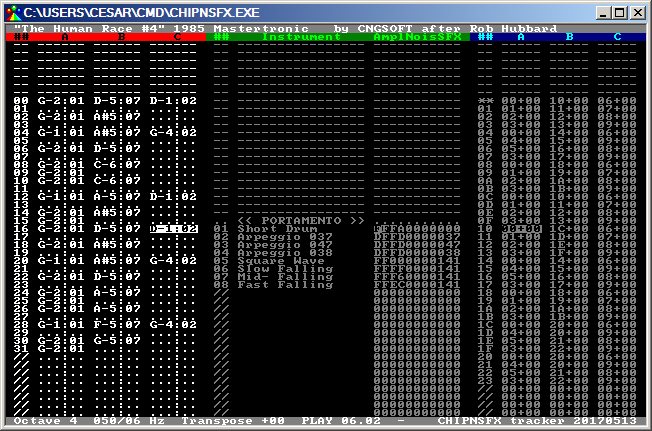
05/14/2017 - 20:04 - genesis8CHIPNSFX tracker+player suite is a musical software suite focused on lightweight code and data (the player itself is under 950 bytes long, and can be as small as 550 bytes) for the Amstrad CPC, Sinclair Spectrum 128 and MSX1 platforms; other hardwares can be supported with minor modifications in the player code, such as Sega Master System. The tracker can create songs up to 256 patterns long, patterns can be up to 96 ticks long, and there can be as many as 255 different instruments. The player itself is hardware-independent, the programmer can provide the external functions required to make it work on any Z80-based platform. CHIPNSFX was succesfully used in past projects such as :
Source : Tweeter
Amstrad CPC X-Mass, ACMEDOS and YANCC (by SOS)
01/15/2017 - 20:57 - genesis8Everybody knows the hardware interfance X-Mass by ToTO for Amstrad CPC, a MX4 mass storage expansion with 128 Mb of flash for storing files on your beloved computer.
AcmeDOS is an Amstrad CPC ROM which lets you use the Microsoft FAT file system with the X-Mass.
YANCC (Yet Another Norton Command Clone) is a text interface to manage your files on the X-Mass and the AcmeDOS ROM with an interface not unknown to olders : ms-dos and norton (or linux and midnight commander).
Source : Octoate
Samdisk v3.8.9 by Simon Owen, Amstrad CPC disks tranfers on PC
12/20/2016 - 19:33 - genesis8SAMdisk v3.8.9 by Simon Owen is out since the 18th December.
The utility supports transfers between floppy disks and disk images, and is designed to work with almost any soft-sectored disk format compatible with the PC floppy controller, including some copy-protected formats.
Low-level floppy device access requires the fdrawcmd.sys driver to be installed.
- fixed clipping extent of non-error sectors
- fixed raw .2d file reading (thanks Tatsuyuki Sato)
- fixed HD track error during 2DD to 2HD promotion (thanks Tatsuyuki Sato)
- fixed use of scanning data rates not supported by FDC
- fixed --offsets crash if 2 stored copies were present
- changed gap indicator from g to +, added - for short sectors
- added support for double-density MB-02+ disks (thanks Jan Kucera)
- added --step-rate speed option (0=slow, 15=fast, 10=default)
Source : CPCRulez's forum
SugarConvDisk : converts Amstrad CPC disks images between differents formats
11/27/2016 - 23:55 - genesis8Coming from Sugarbox code, SugarCOnvDisk can convert disks images between differents formats : dsk, edsk, supercard pro, HFE, IPF, CT-raw, Raw (kryoflux) to dsk/edsk, scp, IPF, HFE. It also supports batch and filtering.
Source : CPCWiki's forum
SymbOS v3.0 Release Candidate 1 available for Amstrad CPC
11/14/2016 - 23:50 - genesis8SymbOS v3.0 RC1 (14/11/2016) is available.
Changes since the last update : fixed bug in the widget management of the extended desktop, the widget feature can now fully used as well, and increased booting speed.
Source : CPCWiki's forum
CDTMaster v3, a windows utility to manage tape images (CDT) for Amstrad CPC
11/04/2016 - 00:05 - genesis8The windows utility CDTMaster by Oscar Martin exists as v3 since 2015 (works also under linux with mono). It is a Taper like utility, it includes other options like importing files from a DSK, converting files into TZX/CDT blocks (like 2cdt) and convert CDT to WAV (like playtzx).
Source : CPCWiki's forum
New version of 2CDT by Kevin Thacker
10/21/2016 - 19:34 - genesis8New version of the 2CDT utility by Kevin Thacker which lets you create a tape image file (.CDT) or inject files inside.
New feature of this version : you can define the sync byte for headerless.
Corrected in this version :
- command-line processing under windows and linux has been re-written. It is a lot better
- if you uses the mode with 2 blocks and you gave it a file which was shorter than a block it would not write it correctly. Now fixed
- When using pure tone it didn't write the length of the '1' pulse correctly
- Some issues seen when running static analysis over the code.
Source : CPCWiki's forum
New version of Cpcxfs by Kevin Thacker
10/21/2016 - 19:48 - genesis8If 2CDT is used to manage Amstrad CPC tape images, the new version of cpcxfs by Kevin Thacker is used to manage Amstrad CPC disk images.
This new version fixes :
- errors shown with static analysis
- cpcxfs will correctly set ERRORLEVEL command-line variable under more error conditions
- there is more bug I forget them sorry
Source : CPCWiki's forum
SymbOS v3 WIP with wifi support (M4Board)
10/11/2016 - 20:17 - genesis8A preview version of SymbOS by Prodatron is available with wifi support (needs the M4Board extension card by Dukes.
Beware, this version isnt 100% stable.
Source : CPCWiki's forum
New versions of WinAPE (Amstrad CPC emulator) and ParaDOS by Richard Wilson
12/06/2015 - 13:24 - genesis8At least a new version of the WinAPE Amstrad CPC emulator by Richard Wilson.
En résumé elle apporte des améliorations sur l'émulation du Z80, changement de palette, émulation sonore, support des cassettes, assembleur et désassembleur.
Also, there is a new version of ParaDOS, a ROM (for CPC old and +) used for disc and files manipulations. Source of ParaDOS is available too.
Claudia Converter (special zoom edition) by Eliot
07/26/2015 - 21:54 - genesis8After iMPdraw (download link), here is a new version of the Claudia Converter utility by Eliot.
it can load .BMP and .SCR created with the ConvIMG CPC utility, to show and modify them with the zoom tool. It manages fullscreen and CPC+ palette.
Source : PushnPop's forum
iMPdraw lite by AST/Imp4ct, a paint program for Amstrad CPC
07/15/2015 - 20:51 - genesis8In december 2014, a preview of iMPdraw by AST was out. iMPdraw version 1 is now called iMPdraw lite, used for example for screens released at the Reset #20 meeting (usable on CPC and CPC+).
A new version (iMPdraw v2) is in the work since January 2015 by AST and ToTO.
Other painting program : GOS (CPC+ only) and Claudia (CPC and CPC+).
Source : CPCRulez's forum
Samdisk v3.8.8 by Simon Owen, Amstrad CPC disks tranfers on PC
07/10/2015 - 07:59 - genesis8SAMdisk v3.8.8 by Simon Owen is out since the 8th July.
The utility supports transfers between floppy disks and disk images, and is designed to work with almost any soft-sectored disk format compatible with the PC floppy controller, including some copy-protected formats.
Low-level floppy device access requires the fdrawcmd.sys driver to be installed.
- Added D88 support for 1D and 1DD disk types
- Added .1dd output extension for 1D/1DD in D88 container
- Added cylinder count detection to D88 image reading
- Added support for .2d raw format
- Fixed destructor crash bug in gcc builds (Linux and Mac)
- Fixed TR-DOS false-positives by requiring .trd extension
Source : CPCRulez's forum
CP/M Plus on ROM with utilities by TFM
06/30/2015 - 21:29 - genesis8TFM, author of FutureOS (an Amstrad CPC operating system) has put CP/M plus with utilities on 10 ROMs at the moment. Click on source link below for download.
Source : CPCWiki's forum
SymbOS on Amstrad CPC, PCW, MSX and now also on Elan Enterprise
01/28/2015 - 23:31 - genesis8The Elan Enterprise is a new computer which can use Symbos. See the youtube video about this subject made during the Nijmegen MSX fair 2015.
Source : CPCRulez's forum
iMPdraw by Ast/iMP4CT, a preview of a paint program for Amstrad CPC old and plus
12/15/2014 - 00:23 - genesis8You can test a preview of a new paint program for Amstrad CPC old and plus : iMPdraw by Ast/iMP4CT.
Source : CPCWiki's forum
Samdisk v3.8 by Simon Owen, Amstrad CPC disks tranfers on PC
03/10/2014 - 23:22 - genesis8SAMdisk v3.8 by Simon Owen is out since the 9th March 2014.
The utility supports transfers between floppy disks and disk images, and is designed to work with almost any soft-sectored disk format compatible with the PC floppy controller, including some copy-protected formats.
Low-level floppy device access requires the fdrawcmd.sys driver to be installed.
Version 3.8, last updated 9th March 2014
- Added support for SuperCard Pro .scp flux disk images (MFM+FM)
- Added --pll option to control PLL method with flux image scanning
- Fixed --head giving ambiguous option error due to typo
- Fixed KBI-19 format slightly overhanging track wrap
- Improved EOT handling of flux images containing just one revolution
- Changed --slow-step to --old-drive to better match usage
Source : CPCRulez's Forum
HxC Floppy Drive Emulator v2.0.18.4 available on Sourceforge
12/16/2013 - 23:10 - genesis8HxC Floppy Drive Emulator v2.0.18.4 is available on Sourceforge (source included of course).
It's an utility to create images to be used by the SDCard HxC Floppy Emulator, to replace the good old 3 inch disks drives of our Amstrad CPC.
Source : CPC Rulez's forum
HxC Floppy Emulator Manager V3 released by NoRecess
08/29/2013 - 23:33 - genesis8The 3rd version of the HxC Floppy Emulator Manager is available.
It's a complete rewrite of the original software.
It features a new user interface (thanks Ced !), better support of the HxC Floppy Emulator device (detection, release..) and some critical bug-fixes.
Finally, it now allows proper exit to BASIC (Amstrad CPC's default shell).
The software remains available as a ROM.
Source : CPCWiki's forum
New Amstrad CPC firmware by Syx et TotO
07/15/2013 - 19:59 - genesis8A new Amstrad CPC firmware is available, written by Syx and TotO.
This Firmware was designed to get a better support of RAM and ROM expansions. Looking the future, not the past.
It don't work with BASIC 1.0 and no more support Tape by default. (need a ROM to manage it, that allow to improve it as new storages too).
So, the actual target is all CPC with BASIC 1.1 and floppy or HxC drives.
New features are :
- Display RAM (up to 576K)
- Display CRTC version
- Initialize up to 32 ROM
- Boot with [ESC] initialize only ROM 0 & 7
- Mouse support under BASIC (see the previous FW test)
- Fix the FR chars table, so all keys are properly displayed
- CTRL+keys give usefull chars
Beware, you must use the 16 Ko files with an emulator. 32 Ko ROMs are to be used with a real Amstrad CPC.

Source : CPCWiki's forum
CPCDiskXP v2.4 by Mochilote on CPCMANIA
06/29/2013 - 20:42 - genesis8The last version of the CPCDiskXP utility is available on CPCMania.
- DSKEditor - Small changes to fix problems with PCW. Single side dsk's seem to work perfectly in the editor and the emulator.
- GENERAL - Sometimes the main interface buttons are cut off and can not be pressed (as shown in the image above), usually in Vista and W7 if you increase the default font size, is finally solved.
Samdisk v3.7 by Simon Owen, disks tranfers on PC
06/28/2013 - 17:58 - genesis8SAMdisk v3.7 by Simon Owen is out since the 24th June 2013.
The utility supports transfers between floppy disks and disk images, and is designed to work with almost any soft-sectored disk format compatible with the PC floppy controller, including some copy-protected formats.
Low-level floppy device access requires the fdrawcmd.sys driver to be installed.
Version 3.7 (2013-06-24)
------------------------
- Added support for KryoFlux and DiscFerret stream images (MFM+FM)
- Added preliminary support for D4M (FD-4000) disk images
- Added hex output with --hex or -x, with limited hex using --hex-ish
- Added --no-gap4b to ignore gap data after the final sector
- Added --abs-offsets to show absolute rather than relative sector offsets
- Fixed 'extra byte' EDSK extension being used unnecessarily on CRC errors
- Fixed crash during CPC weak sector sniffing due to no-data 4th sector
- Fixed regular image reading reporting transient disk errors
- Improved support for ED images, including 2.88M raw images
- Improved gap reading support for IPF images
- Changed raw track parsing to ignore headers with ID CRC errors
- Changed raw image writing to use only first cyl to determine format
- Relaxed D2M sniffing by removing system partition type (0xff) check
- Reduced gap sync requirement to remove more unwanted gaps
Source : CPCRulez's Forum
FutureOS by TFM of Futuresoft (new OS for Amstrad CPC) is available as a cartridge for CPC+
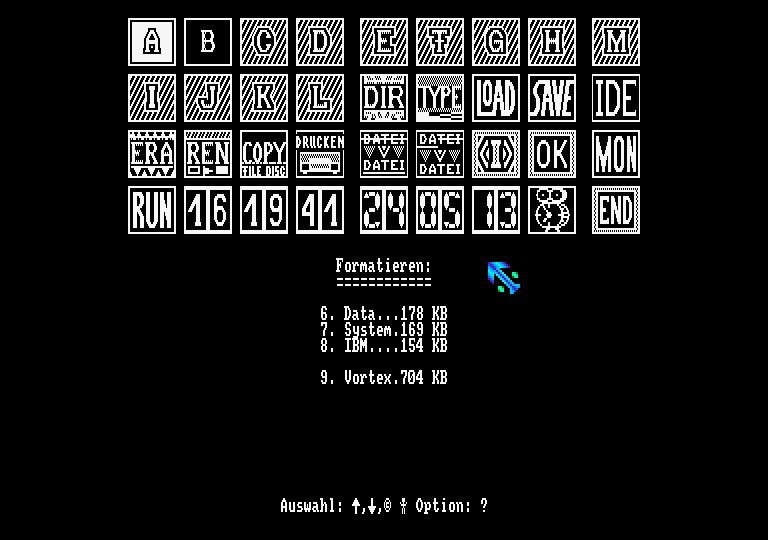
05/26/2013 - 18:00 - genesis8FutureOS is available as a cartridge for Amstrad CPC+.
Source : CPCRulez's forum
Samdisk v3.5 by Simon Owen, disks tranfers
02/18/2013 - 12:26 - genesis8SAMdisk v3.5 by Simon Owen is out.
The utility supports transfers between floppy disks and disk images, and is designed to work with almost any soft-sectored disk format compatible with the PC floppy controller, including some copy-protected formats.
Low-level floppy device access requires the fdrawcmd.sys driver to be installed.
Version 3.5 (2013-01-07)
------------------------
- Fixed interleave and skew values for Pro-Dos .cpm images
- Alignment tweaks to some output formatting
- Restored code signing to help download validation
GrafX2 v2.4 WIP, a graphical bitmap editor by Pulkomandy
06/23/2012 - 12:09 - genesis8A work in progress version of GrafX2 is available to draw "mode 5" pictures for Amstrad CPC.
GrafX2 is a bitmap paint program inspired by the Amiga programs Deluxe Paint and Brilliance. Specialized in 256-color drawing, it includes a very large number of tools and effects that make it particularly suitable for pixel art, game graphics, and generally any detailed graphics painted with a mouse. The program is mostly developed on Linux and Windows, but is also portable on many other platforms.
Source : CPCRulez's forum
Interview of Marc Maulin, co-author of Discology, on CPC Rulez
06/23/2012 - 13:56 - genesis8You will find an interview of Marc Maulin, co-author of the Amstrad CPC utility Discology, on CPC Rulez.
Source : CPC Rules's forum
Samdisk v3.3 by Simon Owen, disks tranfers on PC
06/22/2012 - 15:32 - genesis8SAMdisk v3.3 by Simon Owen is out.
The utility supports transfers between floppy disks and disk images, and is designed to work with almost any soft-sectored disk format compatible with the PC floppy controller, including some copy-protected formats.
Low-level floppy device access requires the fdrawcmd.sys driver to be installed.
Version 3.3 (2012-06-14)
------------------------
- Added built-in support for zipped and gzipped files
- Added support for repairing 8K sectors with bad CRCs
- Added support for raw hard disk images
- Added identify device data reading, where available (non-USB)
- Added --hdf to force HDF version (10 or 11), with v1.1 now the default
- Added --no-identify to ignore source identify data
- Added --no-cfa to suppress CFA festures in generated identify data
- Enhanced identify to include  CHS/LBA28/LBA48 sector counts and CFA
- Enhanced verbose disk list to show serial+firmware and MBR partitions
- Changed disk list to show all devices by default, not just BDOS
- Fixed repairing to blank target tracks, with new density check
- Fixed HDD access beyond 4GB boundary, extended -s range to 2TB
- Fixed SAD image writing with custom sector sizes
- Fixed status messages being written to log and not erased correctly
- Improved FDC integrity checks during sector reads, for suspect hardware
- Improved total sector count to CHS mapping
Source : Octoate
CPCDiskXP v2.3 and programming tutorials by Mochilote on CPCMANIA
04/15/2012 - 21:27 - genesis8The last version of the CPCDiskXP utility is available on CPCMania.
You will also find various programming tutorials, especially tutorials about using C compilers like Z88dk and SDCC, or assembler compiler like Pasmo.
Samdisk v3.2 by Simon Owen, disks tranfers
04/09/2012 - 21:53 - genesis8SAMdisk v3.2 by Simon Owen is out.
The utility supports transfers between floppy disks and disk images, and is designed to work with almost any soft-sectored disk format compatible with the PC floppy controller, including some copy-protected formats.
Low-level floppy device access requires the fdrawcmd.sys driver to be installed.
Version 3.2 (2012-04-08)
------------------------
- Added general support for 1Mbps data rate, used by ED disks
- Added 1Mbps support to IMD images, using new track modes 6+7
- Added --tty option to output console messages to non-console streams
- Fixed crash reading gap data from oversized sectors (thanks Philippe!)
- Fixed crash using --verify when writing non-simple images
- Fixed gap data trimming when writing FDI+IMD images
GrafX2 v2.3, a graphical bitmap editor by Pulkomandy
04/03/2012 - 20:52 - genesis8GrafX2 is a bitmap paint program inspired by the Amiga programs Deluxe Paint and Brilliance. Specialized in 256-color drawing, it includes a very large number of tools and effects that make it particularly suitable for pixel art, game graphics, and generally any detailed graphics painted with a mouse. The program is mostly developed on Linux and Windows, but is also portable on many other platforms.
GrafX2 v2.3 has been released in April 2011. It can of course be used to draw Amstrad CPC screens.
Samdisk v3.1 by Simon Owen, disks tranfers
03/25/2012 - 19:14 - genesis8SAMdisk v3.1 by Simon Owen is out.
The utility supports transfers between floppy disks and disk images, and is designed to work with almost any soft-sectored disk format compatible with the PC floppy controller, including some copy-protected formats.
Low-level floppy device access requires the fdrawcmd.sys driver to be installed.
Changelog:
Version 3.1 (2012-03-18)
------------------------
- Added --repair option to help combine damaged image dumps
- Added write support for D88 images
- Added support for IMD mixed sector sizes
- Added record name from source basename, if no label available
- Added more file sizes for raw image recognition
- Added verbose track output for floppy->image dumping
- Fixed IMD creation using 500Kbps instead of 250Kbps
- Fixed bit alignment during IPF track wrapping
- Fixed converting images to BDOS format when setting label
- Increased --rescan matching distance from 32 to 64 bytes
- Updated to zlib 1.2.5, using zlibwapi.dll instead of zlib1.dll
Source : CPCRulez's forum
The disk utility ManageDsk v0.20g by Demoniak is available
01/25/2012 - 23:14 - genesis8ManageDSK v0.20g by Ludovic Deplanque is out. Its interface is available in english, french and spanish. It features :
- create an empty .DSK file,
- add files in a .DSK file,
- extract files from an .DSK file,
- rename files in a .DSK file
- delete files in a .DSK file,
Source : CPCRulez's forum
How to write a double side DSK for use on an Amstrad CPC
01/15/2012 - 13:39 - genesis8To write a single DSK image file you can either use :
- ManageDSK by Demoniak (windows)
- iDSK by Sid (it's an unix/macos port of ManageDsk, it seems that you will need the dsktools by Andreas Micklei)
- WriteDSK by Targhan (on Amstrad CPC only)
- CPCDiskXP by Mochilote (windows)
Beware, WriteDSK works on the CPC (you must have a PC 3,5" with the .DSK which will be copied on the same 3,5" drive or another 3" drive). It supports the CPC Booster by Antitec.
But if you want to write a double sided DSK, you will have to use CPCDiskXP by Mochilote for the moment.
P.S. : from the WriteDSK documentation, it should support double side DSK.
Source : CPC Wiki's forum
QuickCMD v2.3 by NoRecess
10/01/2011 - 12:17 - genesis8QuickCMD v2.3 is out, a shell-based user interface by NoRecess.
This adds support for a new command history to be used through UP and DOWN keys (was requested by many of you !). Also, a critical crash has been fixed with ROMS command when listing ROMs having corrupted names. Another critical problem (involving stability) has been fixed with direct drive parsing. And finally, the RSX got renamed to |Q for even faster switching from BASIC to QuickCMD.

HxC Floppy Emulator Manager V2.4 by NoRecess
09/25/2011 - 00:01 - genesis8To help using your HxC floppy emulator, vous can use the last version of the HxC Floppy Emulator Manager (v2.3) by NoRecess.
It's now faster to launch, spaces in directory names can now be used, and the user interface is now using the default system font with new color scheme (aligned to ParaDOS and QuickCMD's ones). As previous releases, ROM version is also available.
QuickCMD v2.2 by NoRecess
09/18/2011 - 16:55 - genesis8QuickCMD v2.2 is out, a shell-based user interface by NoRecess.
These are the changes:
- Added support for Bryce's MegaFlash
- Renamed RO and RW commands to READONLY and READWRITE
- Removed CRTC command
- Reset screen to QuickCMD’s default if external RSX changed video mode
- DELROM now clears a rom with &FF value (was using &00)
- Fixed: was overwriting first byte after HIMEM
- Fixed: not assuming anymore than Amsdos area is always at &A700
NoRecess blog update
09/04/2011 - 10:59 - genesis8What about an Odiesoft interview as a starter, then an update of ManageDSK and SDCC2Pasmo for the main dish and dessert on NoRecess ?
Source : CPCWiki's forum
QuickCMD v2.1 by NoRecess
07/28/2011 - 23:05 - genesis8Following v2.0, QuickCMD v2.1 is out, a shell-based user interface by NoRecess. Since v2.0 QuickCMD is a real ROM (small RAM footprint) and adds new featureslike low-level file management. It's now written in assembly with a bit of C, instead of using C only. Use CTRL + TAB from Basic to launch QuickCMD.
QuickCMD v1.0 by NoRecess, be lazy !
06/24/2011 - 21:03 - genesis8QuickCMD v1.0 is a new utility by NoRecess. It's a shell-based user interface running on top of the system. Its aim is to provide a faster way to launchprograms. The idea actually came from a fact about NoRecess own usage of a CPC : most of the times, he turns on my computer to only execute CAT/RUN commands. He thought there were rooms to improvethat process :
- a really fast text output (really appreciated for discs containing lots of files)
- no need to type RUN" prefix anymore, simply typing a filename is required to execute a file
- faster approach to execute a file : even if the pattern Shift+Arrows + copy/paste a filename + Control+LeftArrow + Control+Enter is handy to fast-launch files after a CAT command, I found myself more efficient to uniquely deal with program's filename
- autocompletion : just type F then I letters then TAB key ; if FILENAME.BIN exists on disc then it will be automatically completed !
- fully compatible with the system : you can launch BASIC as BINARY files the same way, you can quit to BASIC then getting back to QuickCMD, DIR command also supports Cat'Art, etc.
- extensible command system : instead of typing a filename to launch, you can also specify a Resident System eXtension (RSX) ! By example, to launch HxC Floppy Emulator Manager, instead of getting back to BASIC and type |HXC, you just have to enter HXC as any other command. Parameters are also supported, so by example you can use default REN command or Arnor UTOPIA's COPY commands !
- respect the system : if an external command use the classic char output routine (BB5A), then its output will be merged to QuickCMD's user interface. This is possible thanks to usage of hardware scrolling provided by the system.
- handy shortcuts : pressing two times TAB key acts as a DIR, ESC two times acts as a quick exit to BASIC, etc.
- history management ! It's working like MSDOS's DOSKEY does (use up/down keys)
- auto-launch. When QuickCMD is installed on your system, it will get launched automatically after all other ROMs will get properly initialized
- not intruisive : credits are voluntary kept hidden behind ABOUT command ; the aim is to provide a neutral program, not a front-end for personal advertising or whatever
- clean, efficient and simple Z80 implementation using a mix of C and assembly programming language

ManageDSK v0.18 for windows is out
08/06/2010 - 18:42 - genesis8ManageDSK v0.18 by Ludovic Deplanque is out. It features :
- create an empty .DSK file,
- add files in a .DSK file,
- extract files from an .DSK file,
- rename files in a .DSK file
- delete files in a .DSK file,
Source : IMPACT CPC's forum
With your SDCard HxC emulator, select a disk image directly on the CPC
07/25/2010 - 17:46 - genesis8First, you should download the latest firmware of the SDCard HxC floppy emulator, the v1.3.11.0 corrects some timing problems with Asic 3 (CPC+) and 4 (pre-CPC+), and some bugs. It's best to freshly format (FAT32) your SD card, then copy the *.upd and *.cfg to the card. Press Left and Right buttons before power up and keep it pressed at least 1 seconds at power up. Wait some seconds, it's done.
There is now an Amstrad CPC program to directly choose an image. This program (just run"hxc) is in the autoboot.hfe disk image. By pressing the middle button, the autoboot.hfe disk is automatically selected. It has been compiled with Small Device C Compiler and still need to be optimized (slow drawing using system calls). The program has been converted to a ROM by Krusty, but as the original program is changing fast at the moment, it could be a bit early to download it.

Source : CPCRulez's forum
SAMdisk v3.0 by Simon Owen
06/25/2010 - 16:56 - genesis8SAMdisk v3 by Simon Owen is out, it's a command-line disk image utility for Windows 2000 or later. The utility supports transfers between floppy disks and disk images (DSK/MGT/IMG/HDF), and is designed to work with almost any soft-sectored disk format compatible with the PC floppy controller, including some copy-protected formats. Low-level floppy device access requires the fdrawcmd.sys driver to be installed.
You can use a java GUI written by DevilMarkus : SAMdisk GUI.
This utility requires a floppy drive connected to a standard motherboard connector. USB floppy drives cannot be supported as there is no way to access their embedded floppy controller chip.
Source : CPC Rulez's forum
Cpcdsk and the Caprice Reloaded emulator
06/25/2010 - 23:04 - genesis8Cpcdsdk is a project aiming to collect the various bit of existing sourcecode in one common place for the linux OS relative to the Amstrad CPC, add the missing features, and make life easier for all developpers :
- The Caprice Reloaded emulator, with integrated assembler and debugger, for windows and linux,
- gfx2crtc, a tool to convert pictures to the amstrad sceen format,
- An imporved version of Ramlaid's cpctools, now running under linux, with (limited) support for usb floppy drives
- A special version of STSound from Leonard, modified to emulate an AY3 more accurately (the original emulates the slightly different YM chip used in the Atari ST)
- Hideur Maikeur by Downwater for handling AMSDOS headers
- iDSK from sid for manipulating dsk images and files inside.
Another java utility by DevilMarkus : SAMdisk GUI
05/11/2010 - 00:16 - genesis8DevilMarkus has written another java utility : SAMdisk GUI, a GUI for SAMdisk by Simon Owen : a CLI utility for Windows 2000 and XP, used to transfer between physical SAM Coupé disks (both floppy and IDE) and disk images (DSK/MGT/IMG/HDF).
This utility requires a floppy drive connected to a standard motherboard connector. USB floppy drives cannot be supported as there is no way to access their embedded floppy controller chip.
It can transfer Prehistorik 2 for example.
Source : CPC Wiki's forum
CPC PC-CPC v0.1aq emulator and the ManageDsk v0.17 utility
05/09/2010 - 20:10 - genesis8You can download the latest version of the PC-CPC emulator and of ManageDsk v0.17 (.DSK file handling utility) by Ludovic Deplanque (Demoniak).
This last version of the emulator corrects 2 bugs, one about CLI use (command line interface) and the other about the 2nd joystick handling.
Source : CPC Rulez's forum
Arkos Tracker v1.0 beta for PC available
04/18/2010 - 17:43 - genesis8You can download Arkos Tracker v1.0 beta for PC by Targhan.
Source : CPC Rulez's forum
GrafX v2.2, a multi platform bitmap editor to create Amstrad CPC screens
03/27/2010 - 20:27 - genesis8An update of GrafX (v2.2) is available.
Source : Octoate
An utility written in java by DevilMarkus : Cdt2Wav
03/14/2010 - 00:28 - genesis8DevilMarkus has written a new utility in java : Cdt2Wav, so you can use it on Windows, Linux and Mac.
For Linux and Mac users, launch the cdt2wav.jar with the following parameters : cdt2wav.jar -Xms512m -Xmx512m -XX:MaxPermSize=512m (or set all to 256 if you want only 256 Mb max. ram usage).
Source : CPC Rulez's forum
WXCOMMANDER, a file manager for windows which read/write .DSK files
11/16/2009 - 00:34 - genesis8WXCOMMANDER (see CPC Loader) is a general purpose two-panel file manager for windows, but it can read/write .DSK files, others features :
- Create zip and iso files
- Upload files to the Internet using FTP
- Fast file handling using the keyboard
- Built-in viewers handling many file formats
- Advanced built-in text editor
- Create animated gifs
- Create shortcut menus for your USB flash drives
- Portable - a single exe file with no particular dependencies
- Convert mdb files to csv or dbf
- No installation required (self-extracting zip exe provided for convenience)
- No uninstallation required (just delete the folder)
- Free for non-professional home use
GrafX v2.1 (bitmap editor)
10/24/2009 - 17:31 - genesis8An update of GrafX (v2.1) is available.
It's a bitmap paint program that allows to draw in more than 60 video resolutions (from 320x200, including most of the standard Amiga resolutions, provided your videocard knows how to handle them). It was written originally for DOS, but has been modified to use SDL and modern operating systems. Its layout is not very different from Deluxe Paint or Brilliance.
Source : CPC Rulez's forum
GrafX v2 final version (graphical bitmap editor)
06/16/2009 - 01:40 - genesis8PulkoMandy has released GrafX v2 final.
It's a bitmap paint program that allows to draw in more than 60 video resolutions (from 320x200, including most of the standard Amiga resolutions, provided your videocard knows how to handle them). It was written originally for DOS, but has been modified to use SDL and modern operating systems.
Its layout is not very different from Deluxe Paint or Brilliance, so it will be quite easy to handle it if you know at least one of these programs.
Source : Push'N'Pop
CPCDiskXP v2.0, a .DSK file manager by Mochilote on CPCMania
05/17/2009 - 13:21 - genesis8A new version of CPCDiskXP is available on CPC Mania. It's a .DSK file manager for windows XP, version 2.0 is from January 2009.

ASM sources of compression engines on Tom & Jerry's site
01/24/2008 - 01:25 - genesis8You will find on Tom & Jerry's site 2 ASM sources (maxam) for compressing Amstrad CPC binaries (better than pucrunch and bitbuster) : Exomizer et Aplib, coming from the PC world. He found them in a forum thread of Amstrad.ESP (spanish site).
SymZilla, an internet browser for SymbOS (reading)
05/05/2007 - 13:46 - genesis8SymZilla is a browser for SymbOS, it let you read HTML files. Beware it needs 192 Ko of memory, so on a CPC you need a RAM extension.
ConvImgCpc v0.11 with overscan support
01/30/2006 - 13:20 - genesis8A new version of ConvImgCpc by Ludovic Deplanque is out. It's a windows xp utility to convert PC images to Amstrad CPC. This version supports overscan and features an editor to modify the image before writing it.
CPCDiskXP v1.4, a .DSK file manager by Mochilote on CPCMania
01/30/2006 - 13:14 - genesis8A new version of CPCDiskXP is available on CPC Mania. It's a .DSK file manager for windows XP (v1.4).
ConvImgCpc v0.10 with CPC+ 4096 colors support by Ludovic Deplanque
01/13/2006 - 03:15 - genesis8A new version of ConvImgCpc by Ludovic Deplanque is out.
It's a windows xp utility to convert PC images to Amstrad CPC. This version supports the 4096 colors of the Amstrad CPC+.
The disk utility ManageDsk v0.14c by Demoniak is available
01/09/2006 - 02:29 - genesis8ManageDSK v0.14c by Ludovic Deplanque is out. It's a minor update of its windows utility to manage Amstrad CPC disks images (.DSK).
CPCDiskXP v1.3.1, a .DSK file manager by Mochilote on CPCMania
01/09/2006 - 02:23 - genesis8A new version of CPCDiskXP is available on CPC Mania. It's a .DSK file manager for windows XP (v1.3.1).
It fixes vortex support, and features new Floppy to DSK system, completely rewritten, with many features.

